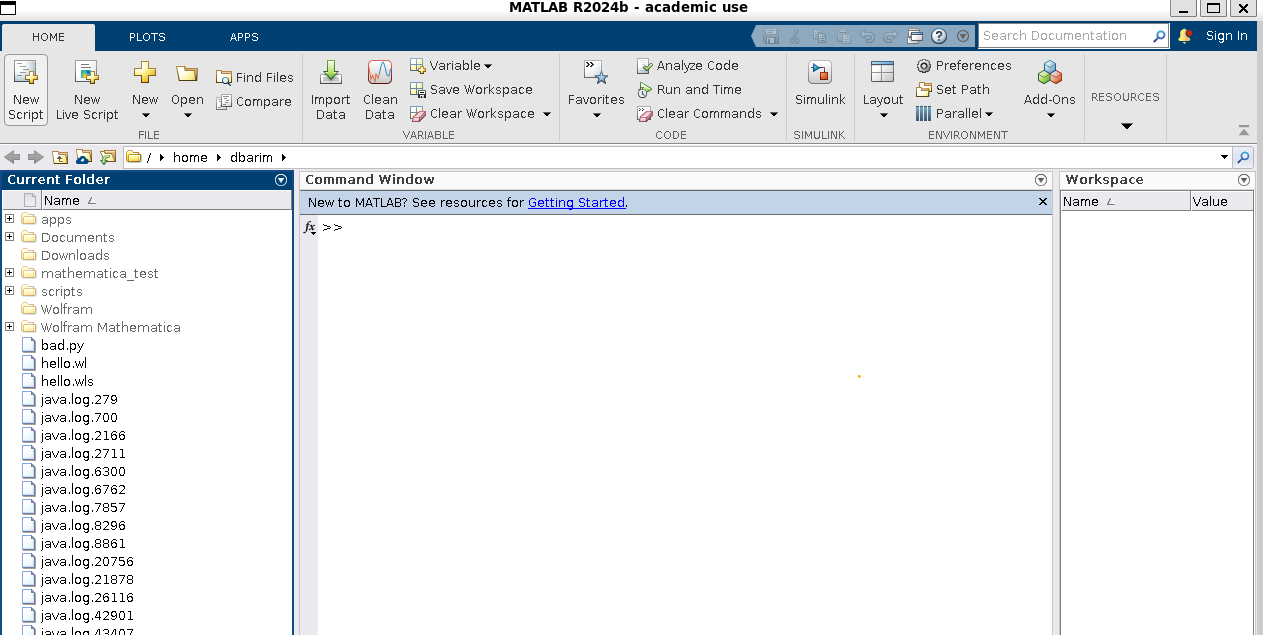
Run MATLAB from the Loki cluster over an SSH tunnel
Overview
Running graphical applications such as MATLAB from the Loki cluster requires an active SSH session with X11 forwarding enabled. X11 allows the graphical interface to display on your local workstation while the program executes remotely on the cluster.
On Windows and macOS systems, an X server must be installed to handle the windowing traffic. Common examples:
Windows: Xming, VcXsrv, or WSL 2 (preferred)
macOS: XQuartz
Linux: Already includes built-in X11 support
Note
For Windows users, the Windows Subsystem for Linux (WSL 2) is the recommended solution. It provides the required OpenSSH utilities and an integrated X server, simplifying configuration.
Procedure
Log into an interactive compute node:
# For Loki
$ ssh -4 -X <USER>@hpc-inter-sub.augusta.edu

# For Vali
$ ssh -4 -X <USER>@acad-hpcbld.augusta.edu
-4 Limits SSH to an IPV4 connection and -X Permits X11 forwarding over SSH
Request a cluster resource allocation meeting your needs:
# For Loki
$ salloc --job-name matlab-job --partition=interactive --ntasks=8 --mem=16G --time 02:00:00

# For Vali
$ salloc --job-name matlab-job --partition=interactive_q --ntasks=4 --mem=8G --time 02:00:00
Determine which node(s) is providing your allocation:
$ squeue -u <AU_NETID>
Set up a SSH tunnel to the node providing your allocation and log in:
$ ssh -4 -X -L 2222:<COMPUTE_NODE>:22 <AU_NETID>@<COMPUTE_NODE>
For example:
$ ssh -4 -X -L 2222:inode001:22 lskywalker@inode001
-4 Limits SSH to an IPV4 connection,
-X Permits X11 forwarding over SSH and
-L Set up SSH tunnel using port forwarding
2222:<COMPUTE_NODE>:22 <AVAILABLE_LOCAL_PORT> : <COMPUTE_NODE> : <COMPUTE_NODE_PORT>
Note
2222 is usually available but you may need to select another if it isn’t.
Load the desired MATLAB environment module:
$ module load MATLAB/2024b
Launch MATLAB as a background process:
$ matlab &
MATLAB should launch in its own window and you should have access to all user folders available on AUHPCS compute nodes.
Normal MATLAB services and use of the MATLAB Parallel Toolbox and Parallel Server services are available in MATLAB CLI and X11 environments.